
How to Defend Against ARTEX and Other Agentic Offensive Frameworks
Agentic Offensive Frameworks (AOFs), such as ARTEX, are changing how attackers operate. They can discover exposed services, identify vulnerabilities, test credentials and attempt exploitation with considerably less human involvement than traditional attacks.
Much of the advice around defending against these frameworks focuses on vulnerability management, monitoring and detecting suspicious behaviour. All important, but there are also opportunities to prevent some of their activity before it succeeds.
If you’re using Microsoft Entra ID, one relatively straightforward measure is to block authentication attempts originating from infrastructure known to be associated with these frameworks.
At Lab539, we’ve been tracking ARTEX and other Agentic Offensive Frameworks and have made that intelligence available through a dedicated feed that integrates directly with Microsoft Entra Conditional Access.
For existing AiTM Feed subscribers, enabling the additional intelligence takes a couple of minutes. It is included at no additional cost.
We’ll explain how that works below, along with the other controls worth considering.
What is ARTEX?
ARTEX is an AI-powered, multi-agent penetration testing framework that has been adopted by threat actors to automate attacks against organisations.
Rather than simply executing a predetermined sequence of commands, ARTEX uses AI agents to plan activities, invoke tools, interpret the results and decide what to try next.
Depending on the tools available and the permissions it obtains, it can carry out activities including:
- Discovering and enumerating internet-facing systems.
- Identifying and exploiting vulnerabilities in web applications and APIs.
- Testing credentials and attempting password-spraying attacks.
- Searching compromised systems for credentials, secrets and other useful information.
- Attempting authentication against cloud services using stolen credentials.
- Enumerating permissions and identifying opportunities for privilege escalation or lateral movement.
None of these techniques is particularly new.
What has changed is the ability to automate and adapt those activities, often progressing between different stages of an attack in minutes.
Google’s Threat Intelligence Group and Microsoft have both documented ARTEX being used in real attacks. Other frameworks, including CAIRN, Hexstrike and PentAGI, provide similar capabilities.
ARTEX may be attracting much of the attention today, but defending against one particular framework isn’t going to be sufficient as these capabilities become more widely available.
How can organisations defend against ARTEX?
There isn’t a single control that will prevent every attack carried out using ARTEX or another AOF.
These frameworks can use different tools and techniques depending on the target, so the appropriate defences depend on what they’re attempting.
There are, however, several areas worth concentrating on.
1. Reduce unnecessary exposure
ARTEX is particularly effective at finding and testing weaknesses in internet-facing systems.
Start by reviewing what is accessible from the internet, particularly administrative interfaces, remote access services and applications that expose sensitive functionality.
Ensure known vulnerabilities are being addressed, remove unnecessary services and restrict access to management interfaces wherever practical.
Web Application Firewalls (WAFs) and rate limiting can also help disrupt automated attempts to enumerate and exploit applications.
2. Protect credentials and authentication
ARTEX can test credentials, attempt password spraying and use credentials recovered during other parts of an attack.
Phishing-resistant MFA remains an important defence against credential-based attacks on user accounts, although it won’t protect every authentication mechanism or prevent the abuse of stolen application secrets.
Privileged accounts should have particularly strong authentication requirements, and workload identities should have tightly controlled permissions and credentials.
Organisations should also review the locations and circumstances from which identities are permitted to authenticate.
An account that normally authenticates from a known environment might have no legitimate reason to sign in from infrastructure associated with an offensive security framework.
3. Look for automated attack behaviour
One advantage defenders have is that automated frameworks can generate recognisable patterns of activity.
ARTEX has been observed rapidly enumerating services, testing different attack methods and retrying failed operations.
Some framework components also expose identifiable characteristics in HTTP requests. Microsoft has documented User-Agent strings including artex-enrich/* and norma/*.
These can be useful hunting signals, although User-Agent strings are easily changed and shouldn’t be relied upon in isolation.
Monitoring for unusual volumes and sequences of activity is generally more useful than looking for a single signature.
Examples include bursts of failed authentications, rapid enumeration of APIs, repeated exploitation attempts and unexpected cloud administration activity following a new sign-in.
4. Block authentication from known AOF infrastructure
This is an area where we’ve been doing some interesting work at Lab539.
Agentic Offensive Frameworks require infrastructure from which to operate. That might be a server hosting the framework itself or other systems involved in carrying out its activities.
We’ve been investigating and tracking infrastructure associated with ARTEX and other AOFs, including systems identified before we’ve observed them being used against a victim.
Where we have sufficient confidence in that intelligence, we can use it to prevent authentication attempts originating from the identified IP addresses.
For Microsoft Entra ID, this can be achieved using Conditional Access and Named Locations.
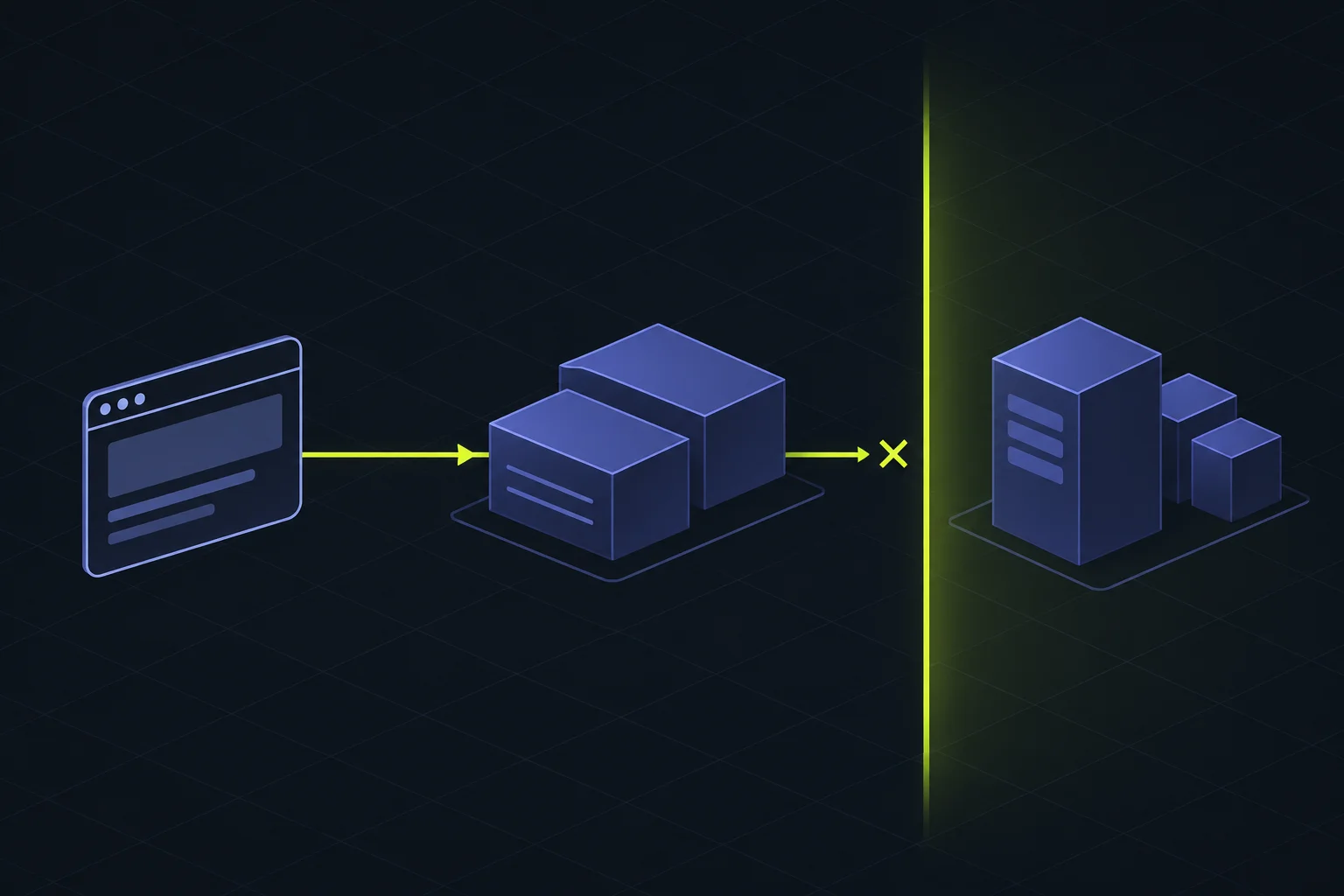
Rather than waiting for an authentication attempt to be classified as suspicious, a Conditional Access policy can already be configured to reject sign-ins from the identified infrastructure.
If an ARTEX agent attempts to use credentials to authenticate from one of those IP addresses, the authentication can be denied before access is granted.
This won’t prevent the framework from scanning your environment or attempting to exploit a vulnerable application. But where it’s attempting to authenticate through Microsoft Entra ID, it provides another opportunity to stop the attack.
How to block ARTEX infrastructure using Microsoft Entra ID
We’ve introduced a dedicated Agentic Offensive Frameworks (AOF) feed within Lab539’s AiTM Feed service.
It includes infrastructure we’ve identified as associated with ARTEX, along with other agentic offensive frameworks as we discover and validate their infrastructure.
The integration uses Microsoft’s existing Conditional Access capabilities, so there’s no requirement to deploy another endpoint agent or introduce a new authentication service.
Step 1: Enable the AOF feed
Sign in to the Lab539 subscriber portal.
Under Malicious Infrastructure, locate the Agentic Offensive Frameworks (AOF) feed and enable it.
If you’ve already configured Lab539’s hosted Named Locations integration, that’s all you need to do to start synchronising the AOF indicators.
The feed is available to all existing AiTM Feed subscribers at no additional cost.
Step 2: Find the Named Location in Microsoft Entra
Open Microsoft Entra and navigate to:
Entra ID → Conditional Access → Named locations
You should see a location named:
Lab539 Agentic Offensive Frameworks (AOF)This contains the IP ranges supplied by the feed and is maintained automatically as our intelligence changes.
Step 3: Add the location to a Conditional Access policy
Create or update a Conditional Access policy that blocks access from the AOF Named Location.
Configure the policy to include the relevant users and resources, select the AOF Named Location under the network condition, and set the access control to Block access.
As with any new Conditional Access blocking policy, test the configuration in report-only mode before enabling enforcement, and ensure appropriate emergency access exclusions are in place.
Once enabled, authentication attempts originating from IP addresses in the AOF feed will be rejected when the policy applies.
Enabling the feed takes minutes. The Conditional Access policy is what actually enforces the block.
Microsoft’s Conditional Access documentation explains the configuration in more detail.
Step 4: Monitor the results
Microsoft Entra sign-in logs will show authentication attempts affected by the policy, including the source IP address and the Conditional Access policy responsible for denying access.
This allows you to see when authentication has been attempted from infrastructure included in the feed.
If you prefer to consume the intelligence directly, the AOF data is also available through our API:
https://aitm.lab539.io/v1.0/named-location/aofAuthentication requires a Lab539 API key.
Does this block every ARTEX attack?
No.
ARTEX is a framework capable of executing many different attack techniques. Blocking authentication from identified infrastructure addresses one part of what it can do.
An ARTEX agent could exploit a vulnerable web application without ever attempting to authenticate through Microsoft Entra ID.
It might also use a compromised legitimate system, a proxy service or infrastructure we haven’t yet identified.
And if an attacker obtains a valid session or accesses a service through an authentication mechanism that isn’t subject to the relevant Conditional Access policy, the AOF feed won’t prevent that activity.
There are also practical limits to IP-based blocking. Infrastructure changes, addresses are reassigned and attackers can deliberately change where their authentication attempts originate.
We don’t have visibility of every ARTEX deployment, and we don’t claim to.
The feed is intended to prevent authentication from infrastructure we’ve identified, rather than provide complete protection against everything the framework can do.
It also doesn’t replace the need to protect workload identities and application credentials. Microsoft Entra applies different Conditional Access mechanisms to user and workload identity authentication.
Why bother blocking IP addresses when attackers can change them?
Because an IP address doesn’t have to remain malicious forever to be worth blocking.
Much of the criticism of IP-based intelligence assumes we’re collecting addresses from yesterday’s attacks and hoping they remain useful tomorrow.
Our approach is to actively hunt infrastructure while attackers are preparing and operating it.
When we identify a system associated with an offensive framework, we can provide that intelligence to preventative controls before an organisation encounters activity originating from it.
If the attacker moves their operation elsewhere, we’ll aim to identify the new infrastructure too.
The individual indicator might only be useful for a relatively short period. That’s fine if it arrives early enough to prevent an attack.
We’ve written more about this approach in our guide to Pre-Attack Indicators.
Don’t overlook the straightforward controls
There is plenty of work involved in securing an organisation against the wider capabilities of ARTEX and other Agentic Offensive Frameworks.
Reducing unnecessary exposure, protecting credentials, hardening applications and monitoring for automated behaviour all require ongoing effort.
But not every improvement needs to be a major project.
If you’re already using Microsoft Entra ID and subscribing to Lab539’s AiTM Feed, enabling the AOF intelligence is a simple additional measure.
It won’t stop every attack carried out by ARTEX. It can, however, prevent authentication from infrastructure we’ve identified as associated with these frameworks.
And if an attacker is using that infrastructure to access your environment with compromised credentials, having the block in place beforehand could make all the difference.
Further reading
- Microsoft Threat Intelligence - What defenders need to know about ARTEX
- Google Threat Intelligence Group - ARTEX and Friends: Enter Agentic Offensive Frameworks
- NCSC - Familiar weaknesses, exploited faster
- Lab539 - Pre-Attack Indicators
- Lab539 - AiTM Feed